
Wizibel - Audio Visualizer1.4.2 - App Store
You'll be able to see results in few seconds.
Publisher Description
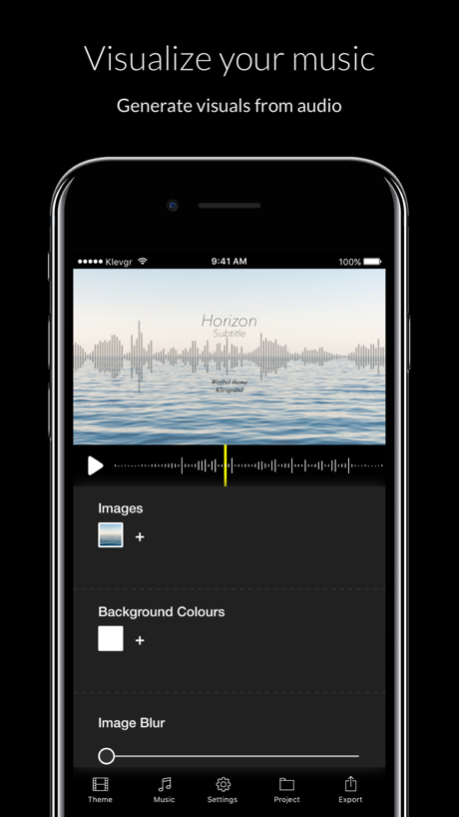
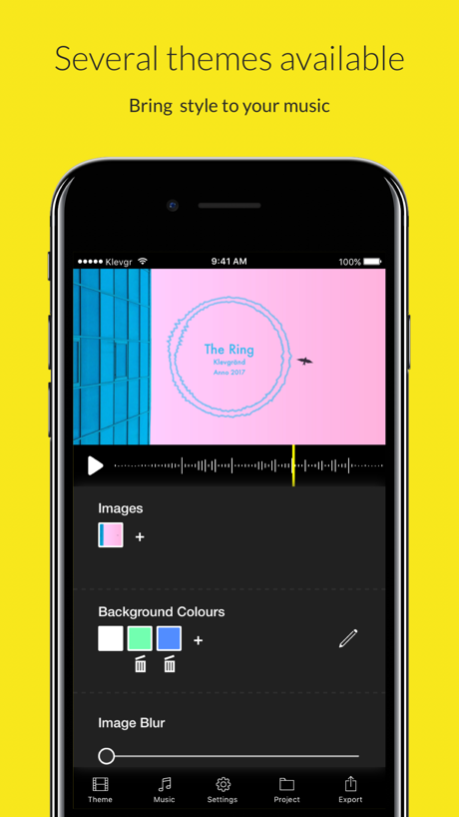
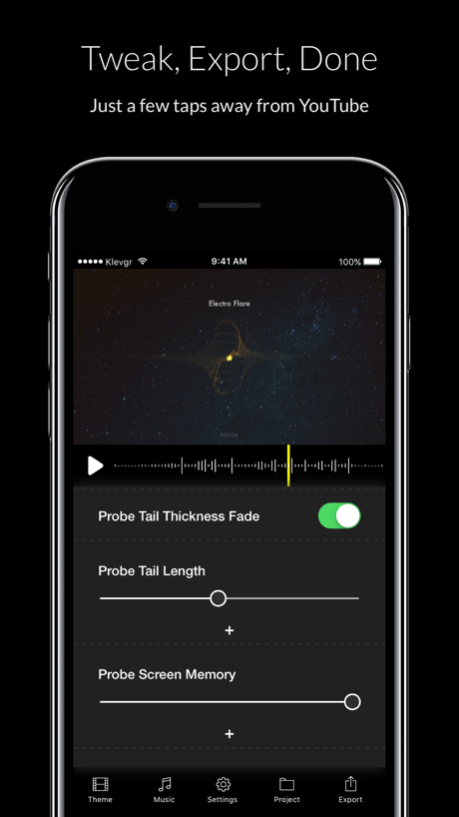
Wizibel lets you create music videos in a flash! If you are a musician and don’t have the time to create an advanced music video for your song, this app is right up your alley. Just import your song, tweak some parameters and export a high quality video to be shared.
The app currently has 12 themes (more themes and features are coming in future updates), each theme with a set of tweakable parameters for customization, like text strings, sizes, colours, images and how audio waveforms/audio visualizations should react to the music.
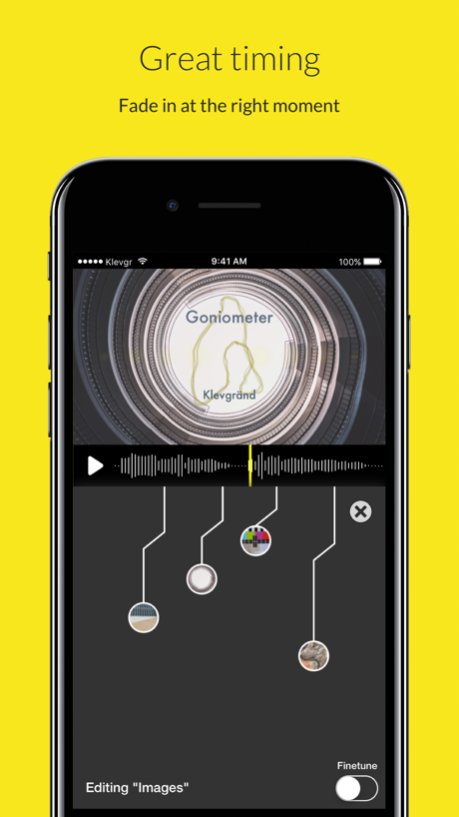
Most parameters can be automated in a visual timeline.
How to use:
The video can be previewed by interacting with the timeline and play/stop button (right under the preview window).
Beneath the timeline are the selected theme’s parameters. This view is scrollable.
At the bottom there’s a tab bar:
• Theme
Opens up a view with available themes
• Music
Let’s you import music from iTunes or AudioShare (if installed)
Music can also be imported from other apps, using the ”Open In..” function. AIF, WAV, MP3, AAC are supported file formats.
• Settings
• Video Export Quality
LOW renders a low resolution video on export
MID renders a 720p video on export
HIGH renders a 1080p video on export
• Background Zoom, set this to off if you want to disable background images zooming in and out.
•Default transition
Time to fade Images and Colours utilizing the timeline feature.
• Transition curve, choose between linear, ease in, ease out and ease in and out (S-curve)
• Fade In / Fade Out
If turned on, the video will fade in and out in the beginning and end. The slider sets fade time, and the squared button the background colour it should fade to/from.
• Project
This is the project manager where one can save and load complete states.
• Export
Exports the video and, when finished, let’s you save it to the camera roll or send to other apps that accepts videos.
Feedback or suggestions? Drop us a mail: support(at)klevgrand.se or @klevgrand on Twitter
Sep 15, 2017
Version 1.4.2
This app has been updated by Apple to display the Apple Watch app icon.
Changes v1.4.2:
• Auto zoom now uses the whole image.
• Fixed a bug when importing low resolution images.
Changes v1.4.1:
• Background images are not blurred at all when blur is set to a minimal value (thanks Sven)
• (UI) Tab icons texts are centered properly on iPhones with small screens (iPhone 5)
• Close image changed on some views (thanks Marc)
Updates 1.4.0
• Project manager - load and save complete states.
• Image resizer - scale and crop images at import.
• New theme: Kaleidoscope - A beautifully rendered kaleidoscope with plenty of parameters.
• New theme: Breaking News! - Developed for the mobile journalist (#mojo) community. Loaded with foreground imagery, subtitles, customisable waveform and more.
About Wizibel - Audio Visualizer
The company that develops Wizibel - Audio Visualizer is Klevgränd produkter AB. The latest version released by its developer is 1.4.2.
To install Wizibel - Audio Visualizer on your iOS device, just click the green Continue To App button above to start the installation process. The app is listed on our website since 2017-09-15 and was downloaded 0 times. We have already checked if the download link is safe, however for your own protection we recommend that you scan the downloaded app with your antivirus. Your antivirus may detect the Wizibel - Audio Visualizer as malware if the download link is broken.
How to install Wizibel - Audio Visualizer on your iOS device:
- Click on the Continue To App button on our website. This will redirect you to the App Store.
- Once the Wizibel - Audio Visualizer is shown in the iTunes listing of your iOS device, you can start its download and installation. Tap on the GET button to the right of the app to start downloading it.
- If you are not logged-in the iOS appstore app, you'll be prompted for your your Apple ID and/or password.
- After Wizibel - Audio Visualizer is downloaded, you'll see an INSTALL button to the right. Tap on it to start the actual installation of the iOS app.
- Once installation is finished you can tap on the OPEN button to start it. Its icon will also be added to your device home screen.
Program Details
System requirements
Download information
Pricing
Version History
version 1.4.2
posted on 2017-09-15
Sep 15, 2017
Version 1.4.2
This app has been updated by Apple to display the Apple Watch app icon.
Changes v1.4.2:
• Auto zoom now uses the whole image.
• Fixed a bug when importing low resolution images.
Changes v1.4.1:
• Background images are not blurred at all when blur is set to a minimal value (thanks Sven)
• (UI) Tab icons texts are centered properly on iPhones with small screens (iPhone 5)
• Close image changed on some views (thanks Marc)
Updates 1.4.0
• Project manager - load and save complete states.
• Image resizer - scale and crop images at import.
• New theme: Kaleidoscope - A beautifully rendered kaleidoscope with plenty of parameters.
• New theme: Breaking News! - Developed for the mobile journalist (#mojo) community. Loaded with foreground imagery, subtitles, customisable waveform and more.
version 1.4.2
posted on 2017-09-15
Sep 15, 2017 Version 1.4.2
This app has been updated by Apple to display the Apple Watch app icon.
Changes v1.4.2:
• Auto zoom now uses the whole image.
• Fixed a bug when importing low resolution images.
Changes v1.4.1:
• Background images are not blurred at all when blur is set to a minimal value (thanks Sven)
• (UI) Tab icons texts are centered properly on iPhones with small screens (iPhone 5)
• Close image changed on some views (thanks Marc)
Updates 1.4.0
• Project manager - load and save complete states.
• Image resizer - scale and crop images at import.
• New theme: Kaleidoscope - A beautifully rendered kaleidoscope with plenty of parameters.
• New theme: Breaking News! - Developed for the mobile journalist (#mojo) community. Loaded with foreground imagery, subtitles, customisable waveform and more.
Disclaimer
Official App Store Link
We do not host Wizibel - Audio Visualizer on our servers. We did not scan it for viruses, adware, spyware or other type of malware. This app is hosted by Apple and passed their terms and conditions to be listed there. We recommend caution when installing it.
The App Store link for Wizibel - Audio Visualizer is provided to you by apps112.com without any warranties, representations or guarantees of any kind, so access it at your own risk.
If you have questions regarding this particular app contact the publisher directly. For questions about the functionalities of apps112.com contact us.
